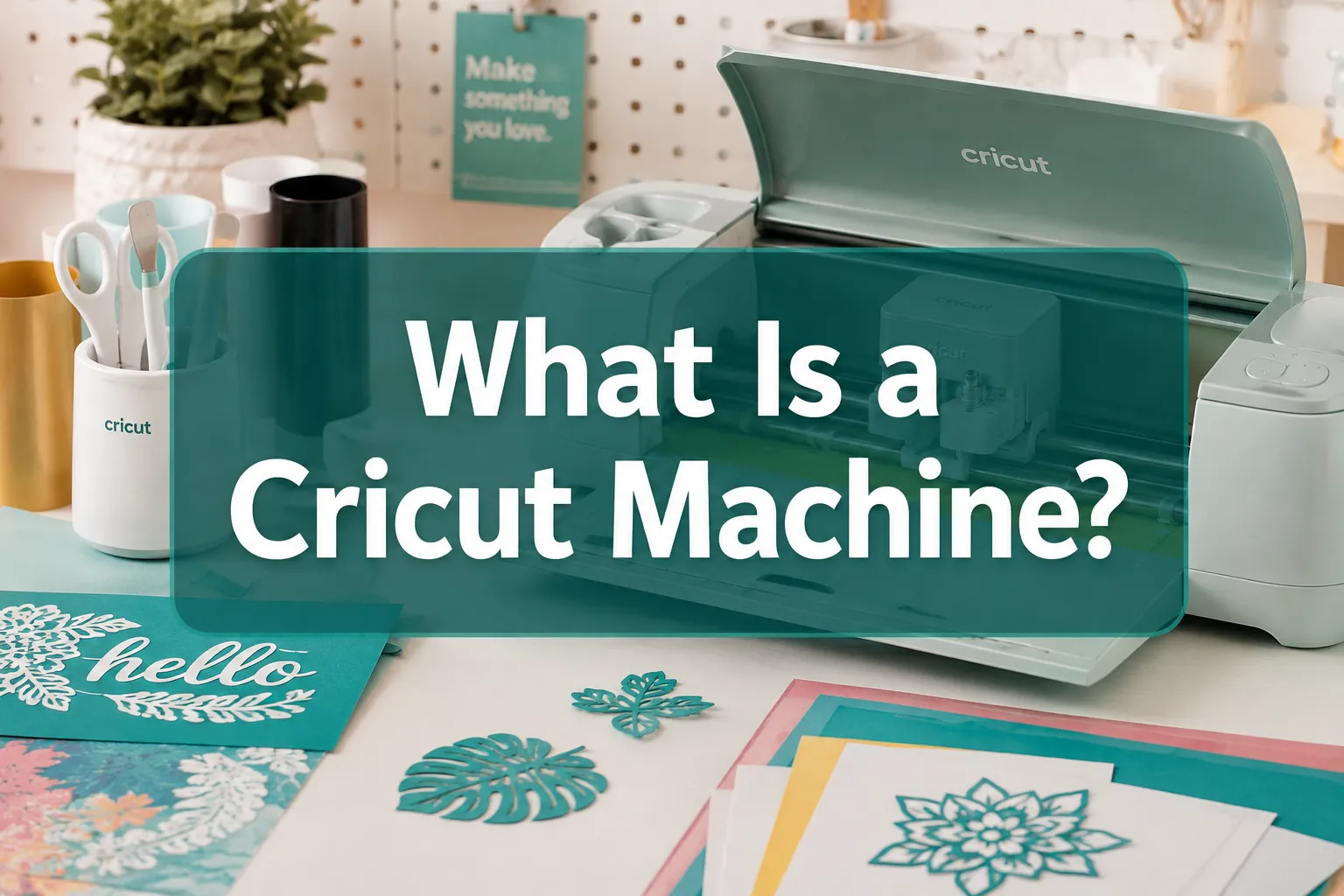
What Is a Cricut Machine? (And What Can It Do?)
Learn What Is a Cricut Machine, how it works, what materials it cuts, and which model fits your needs. A complete 2026 beginner’s guide.
Table of Contents
Key Takeaways
- A Cricut machine is a smart cutting plotter controlled by the free Cricut Design Space app on desktop or mobile.
- It can cut, draw, score, and engrave on hundreds of materials, from cardstock and vinyl to thin wood and leather.
- Three main product lines exist in 2026: Cricut Joy, Cricut Explore, and Cricut Maker, each targeting different skill levels and material needs.
- Cricut machines connect via USB or Bluetooth and require Design Space to operate.
- Entry-level machines (Cricut Joy) start around $99; the flagship Cricut Maker 3 retails for approximately $379.
- The Cricut Explore line is the best starting point for most beginners.
- Common alternatives include the Silhouette Cameo and Brother ScanNCut.
- The learning curve is moderate: most beginners complete their first project within a few hours of setup.
How Does a Cricut Machine Work?
A Cricut machine works by reading a digital design file and moving a blade (or pen) across a material mat in precise X and Y coordinates to cut out the shape. The user creates or imports a design in Cricut Design Space, selects the material type, loads the material onto a sticky cutting mat, and sends the job to the machine via USB or Bluetooth.
Here is the basic workflow:
- Design: Open Cricut Design Space on a computer, tablet, or phone. Create a design, upload an SVG or image file, or choose from the built-in library.
- Set material: Select the material type in the app so the machine adjusts blade pressure and speed automatically.
- Load mat: Place the material on the adhesive cutting mat and feed it into the machine.
- Cut: Press the flashing button on the machine. The carriage moves across the material, cutting the design.
- Weed and apply: Remove excess material (called weeding) and apply the finished piece to its destination.
The machine itself does not store designs locally. It always needs a live connection to Design Space, which means an internet connection is required for the initial setup and to access the full design library.
What Can You Make With a Cricut Machine?
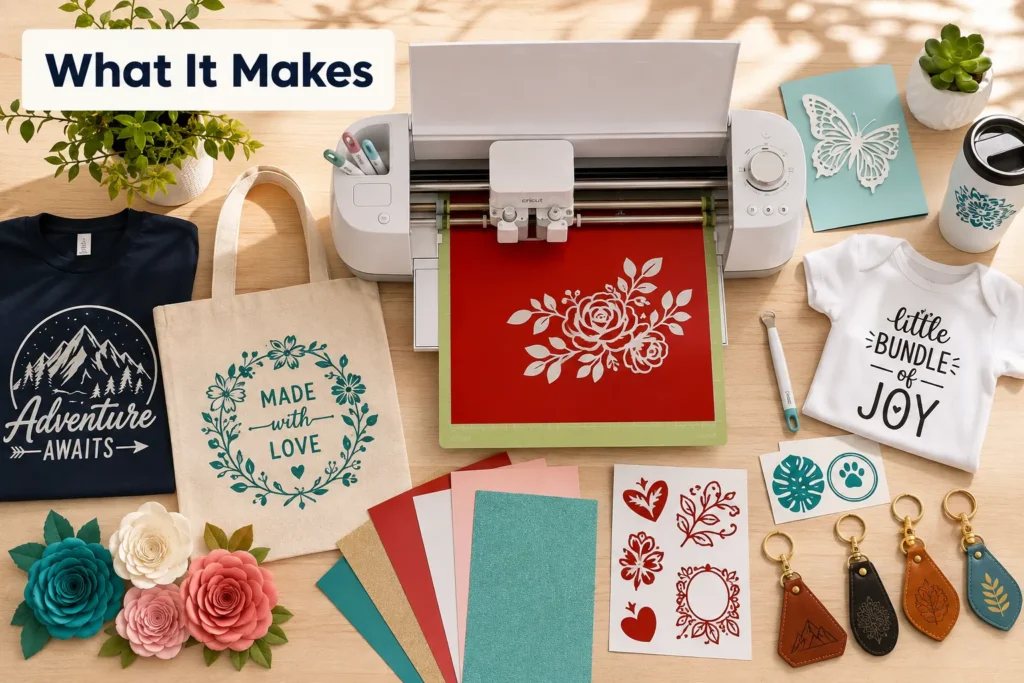
Cricut machines can produce a wide range of personalized items, from simple stickers and labels to custom apparel, home decor, and small gifts. The specific output depends on the machine model and the tools and materials used.
Popular project categories include:
- Vinyl decals for walls, windows, mugs, and laptops
- Iron-on (heat-transfer vinyl) designs for t-shirts, tote bags, and hats
- Paper crafts such as cards, gift boxes, banners, and paper flowers
- Stickers and labels for organization or product packaging
- Fabric pieces for quilting, applique, and sewing patterns
- Leather and faux leather accessories like earrings and keychains
- Wood and chipboard signs and decorative pieces (Maker series only)
- Engraved items using the engraving tip accessory
The Cricut platform positions itself around personalization: birthday gifts, wedding decor, school projects, and small business product runs are among the most common use cases.
What Materials Can a Cricut Cut?
Cricut machines can cut over 100 material types, though the exact range depends on the model. Entry-level machines handle lighter materials, while the Maker series handles thicker and denser ones.
| Material Category | Cricut Joy | Cricut Explore | Cricut Maker 3 |
|---|---|---|---|
| Paper and cardstock | Yes | Yes | Yes |
| Adhesive vinyl | Yes | Yes | Yes |
| Iron-on vinyl | Yes | Yes | Yes |
| Fabric (bonded) | No | Yes | Yes |
| Thin leather | No | Limited | Yes |
| Basswood / chipboard | No | No | Yes |
Key rule: If cutting thick or dense materials (wood, genuine leather, heavy chipboard) is a priority, the Cricut Maker 3 is the only model suited for the job. For everyday paper and vinyl projects, the Explore line is sufficient.
What’s the Difference Between Cricut Models?
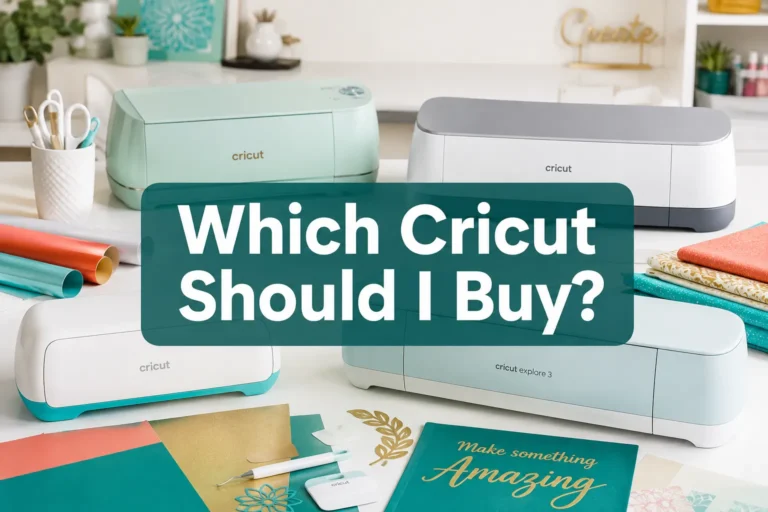
As of 2026, Cricut offers three main machine families. Each targets a different user and budget. [1][4]
- Cricut Joy / Joy Xtra: The smallest and most portable option. Best for quick, small-scale projects like labels, cards, and simple decals. Limited mat size.
- Cricut Explore 3 / Air 2: The mid-range workhorse. Handles paper, vinyl, iron-on, and bonded fabric. Best for most home crafters and beginners who want versatility without the premium price.
- Cricut Maker 3: The flagship model. Supports the full range of tools including the rotary blade, knife blade, and engraving tip. Handles the widest material range. Best for serious crafters, fabric workers, and small business owners.
Choose the Explore line if you primarily work with paper, vinyl, and iron-on and want a reliable all-rounder. Choose the Maker 3 if you plan to cut fabric without a backing, work with wood or leather, or want maximum future-proofing.
How Much Does a Cricut Machine Cost?
Cricut machine prices in 2026 range from approximately $99 for the Cricut Joy to around $379 for the Cricut Maker 3. The Explore 3 typically sits around $229 to $279 depending on the retailer and any bundle deals.
Beyond the machine itself, factor in these ongoing costs:
- Cutting mats: $10 to $20 each; they wear out over time.
- Replacement blades: $8 to $25 depending on blade type.
- Materials: Vinyl rolls, cardstock packs, and iron-on sheets vary widely.
- Cricut Access subscription (optional): Provides access to a large library of fonts, images, and ready-to-make projects. Priced at approximately $9.99/month or $95.99/year as of 2026.
Design Space itself is free to use with your own uploaded designs. The subscription is only necessary if you want access to Cricut’s premium content library.
Cricut Machine vs. Silhouette Cameo
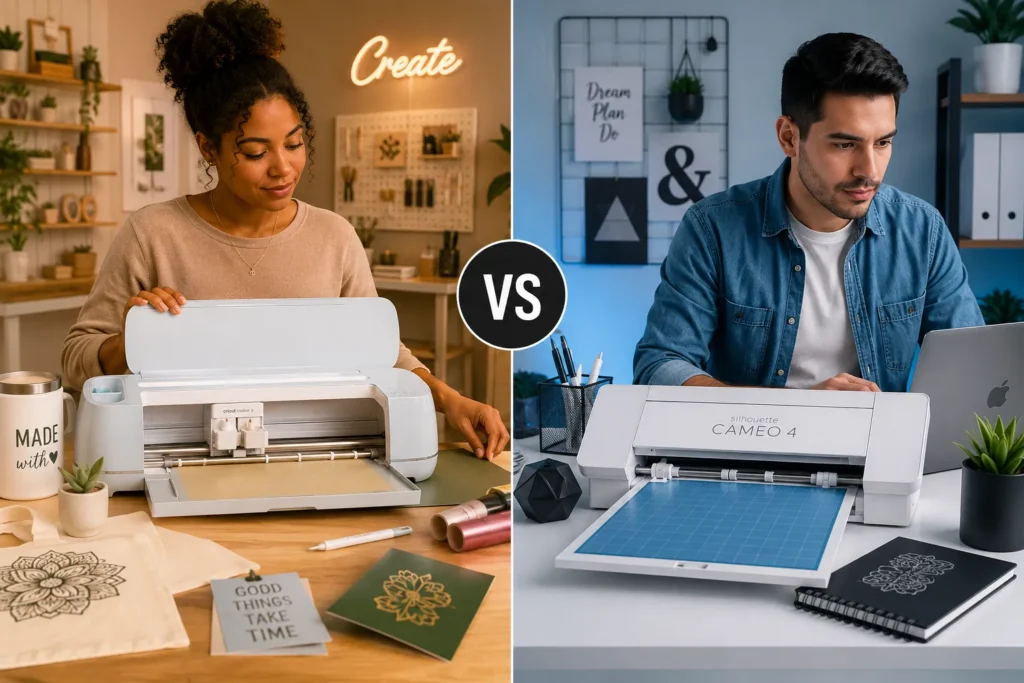
The two most popular home cutting machines are the Cricut and the Silhouette Cameo. Both cut similar materials and serve similar audiences, but they differ in software, ecosystem, and pricing structure.
Cricut advantages:
- More beginner-friendly app (Design Space)
- Larger online community and tutorial library
- Broader range of specialty tools (especially for Maker series)
Silhouette Cameo advantages:
- One-time software purchase (Silhouette Studio) rather than a subscription model
- More flexibility for advanced users who want manual control
- Often slightly lower entry price for comparable cutting width
Bottom line: Beginners and casual crafters tend to prefer Cricut for its guided experience. More technical users or those who dislike subscription software often prefer Silhouette Cameo.
Cricut Machine Software Requirements
Cricut machines require the Cricut Design Space app to function. Design Space is available as a desktop app for Windows and macOS, and as a mobile app for iOS and Android.
Minimum requirements (as of 2026):
- Windows: Windows 10 or later, 4 GB RAM, Bluetooth 4.0 or USB port
- macOS: macOS 11 or later, 4 GB RAM
- iOS/Android: Current or one prior major OS version
An internet connection is needed to log in, access the design library, and receive software updates. Basic offline cutting is supported on desktop after initial setup, but full functionality requires connectivity.
Cricut Machine for Beginners: What Should I Know?
For beginners, the Cricut Explore 3 is the most practical starting point. It handles the most common materials, the app is guided and intuitive, and there is an enormous library of free tutorials on YouTube and crafting blogs.
Common beginner mistakes to avoid:
- Skipping the test cut: Always run a small test cut on a scrap piece before cutting a full sheet of expensive material.
- Using a worn mat: A mat that has lost its stickiness will cause the material to shift mid-cut, ruining the project.
- Wrong blade for the material: Using the standard fine-point blade on thick cardstock or fabric without the correct settings leads to incomplete cuts.
- Not weeding carefully: Rushing the weeding step tears the design.
Learning curve: Most beginners complete their first simple project (a vinyl decal or paper card) within two to three hours of unboxing. More complex projects like multi-layer designs or fabric cutting take a few sessions to master.
Can You Use Cricut for Vinyl Decals and T-Shirts?
Yes, vinyl decals and custom t-shirts are two of the most popular Cricut applications. For decals, adhesive vinyl is cut and applied directly to surfaces like mugs, laptops, or walls. For t-shirts, iron-on vinyl (also called heat-transfer vinyl or HTV) is cut in mirror image, then pressed onto fabric using a heat press or household iron.
Tips for vinyl and apparel projects:
- Always mirror the design before cutting iron-on vinyl.
- Use a weeding tool to remove excess vinyl cleanly.
- A dedicated heat press produces more consistent results than a household iron for apparel.
- Matte and glossy vinyl behave differently on curved surfaces; test before committing to a large run.
Cricut Machine Not Cutting Properly: How to Fix It
Poor cuts are usually caused by one of four issues: a dull blade, a dirty or worn mat, incorrect material settings, or a blade that is not fully seated in the housing.
Troubleshooting checklist:
- Check blade sharpness: Press the blade tip into aluminum foil several times to clean and slightly sharpen it. If cuts are still incomplete, replace the blade.
- Clean the mat: Use a lint roller or soft brush to remove debris. Re-sticky a mat with repositionable adhesive spray if needed.
- Verify material settings: In Design Space, confirm the correct material is selected. Use “More Pressure” if cuts are shallow.
- Re-seat the blade: Remove the blade housing and reinsert it firmly until it clicks.
- Run a test cut: Use the built-in test cut feature before cutting the full design.
If problems persist after these steps, check the Cricut support site for firmware updates, as outdated firmware occasionally causes calibration issues.
Is a Cricut Machine Worth It?
A Cricut machine is worth the investment for anyone who regularly makes personalized gifts, custom apparel, home decor, or craft-based products. It is less worthwhile for occasional crafters who only need one or two projects per year, since the per-project cost of a one-off purchase from a print shop may be lower.
Cricut makes financial sense if you:
- Make custom items for events (weddings, birthdays, holidays) multiple times a year
- Run a small business selling handmade or personalized goods
- Have children and enjoy doing craft projects at home
- Already spend money on craft supplies and want to expand what you can make
It may not be worth it if you:
- Only need a single custom project
- Are not comfortable learning new software
- Have very limited physical workspace (the machine and mat require a dedicated area)
FAQ
What is a Cricut machine used for?
A Cricut machine is used to cut, draw, score, and engrave designs on materials like paper, vinyl, fabric, and leather. It is most commonly used to make custom decals, t-shirts, cards, labels, and home decor.
Do you need a computer to use a Cricut machine?
No. Cricut machines can be controlled from a smartphone or tablet using the Cricut Design Space mobile app. A computer is not required, though many users prefer the larger screen for detailed design work.
Is Cricut Design Space free?
Yes, Design Space is free to download and use. An optional Cricut Access subscription (approximately $9.99/month in 2026) unlocks a premium library of fonts, images, and ready-to-make projects.
Can a Cricut machine cut wood?
The Cricut Maker 3 can cut thin wood materials such as basswood up to approximately 2.4 mm thick using the Knife Blade accessory. The Explore and Joy lines cannot cut wood.
How long does a Cricut blade last?
Blade lifespan depends on usage and material. A standard fine-point blade typically lasts through several dozen projects on paper and vinyl. Cutting abrasive or thick materials shortens blade life significantly.
What is the difference between Cricut and a laser cutter?
A Cricut uses a physical blade to cut materials mechanically. A laser cutter uses a focused beam of light to cut or engrave. Laser cutters handle harder materials and produce cleaner edges on wood and acrylic, but cost significantly more and require ventilation.
Can you make money with a Cricut machine?
Many users run small businesses selling custom vinyl decals, apparel, and personalized gifts made with Cricut machines. Profitability depends on material costs, pricing, and volume. It is a viable side income for many crafters.
What mat do I need for a Cricut machine?
Cricut offers four mat types: LightGrip (paper and light cardstock), StandardGrip (most vinyl and iron-on), StrongGrip (heavy cardstock, chipboard, leather), and FabricGrip (fabric). The correct mat depends on the material being cut.
Conclusion
A Cricut machine is a precision cutting tool that bridges digital design and physical craft. Whether the goal is custom t-shirts, vinyl decals, paper decorations, or small business product runs, the right Cricut model can handle the job with consistent, repeatable results.
Actionable next steps:
- Define your primary use case before buying. If vinyl and paper are the main materials, the Cricut Explore 3 is the most cost-effective choice. If fabric or wood is in the plan, go straight to the Maker 3.
- Download Cricut Design Space for free and explore the interface before purchasing any hardware.
- Start with a beginner bundle that includes a machine, a starter mat set, and a basic material pack to avoid early frustration from incompatible supplies.
- Watch one project tutorial end-to-end before attempting your first cut. The Cricut YouTube channel and community forums are reliable free resources.
- Run a test cut on every new material until you are confident with the settings.
The machine is a tool. The quality of the output depends on understanding the software, respecting the materials, and building skills one project at a time.