How to Clean a Cricut Mat (Without Ruining It)
How to Clean a Cricut Mat?
Quick Answer: To clean a Cricut mat without ruining it, gently scrub the surface with a soft-bristle brush or lint-free cloth and plain water, then let it air dry completely. Avoid harsh chemicals, abrasive scrubbers, or heat, all of which permanently destroy the adhesive. A properly cleaned mat regains noticeable stickiness and can last through dozens of additional projects.

Table of Contents
Key Takeaways
- Cricut mats collect paper fibers, vinyl scraps, and dust with every use, which reduces their grip and causes cutting errors.
- Plain water and a soft-bristle brush are the safest and most effective cleaning tools for most mat types.
- Never use acetone, bleach, rubbing alcohol above 70%, or abrasive scrubbers, they strip the adhesive permanently.
- Baby wipes (fragrance-free, alcohol-free) are a fast, reliable option for light cleaning between projects.
- Always let the mat air dry fully before placing it back in the machine; moisture causes warping and feed errors.
- A mat that stays sticky after cleaning can last significantly longer than one that is replaced too soon.
- If cleaning no longer restores stickiness, resticking spray or a replacement mat are the next steps.
- Different mat types (LightGrip, StandardGrip, StrongGrip, FabricGrip) follow the same basic cleaning method but vary in how aggressively they can be scrubbed.
What Is a Cricut Mat and Why Does It Need Cleaning
A Cricut mat is a sticky cutting surface that holds paper, vinyl, fabric, or cardstock in place while the machine’s blade cuts through it. Without a firm grip, materials shift mid-cut, ruining the project.
Every time the mat is used, it picks up debris: paper dust, vinyl backing scraps, fabric fibers, and even skin oils from handling. Over time, this debris coats the adhesive layer and reduces stickiness. A mat that looks dirty almost always performs worse than a clean one.
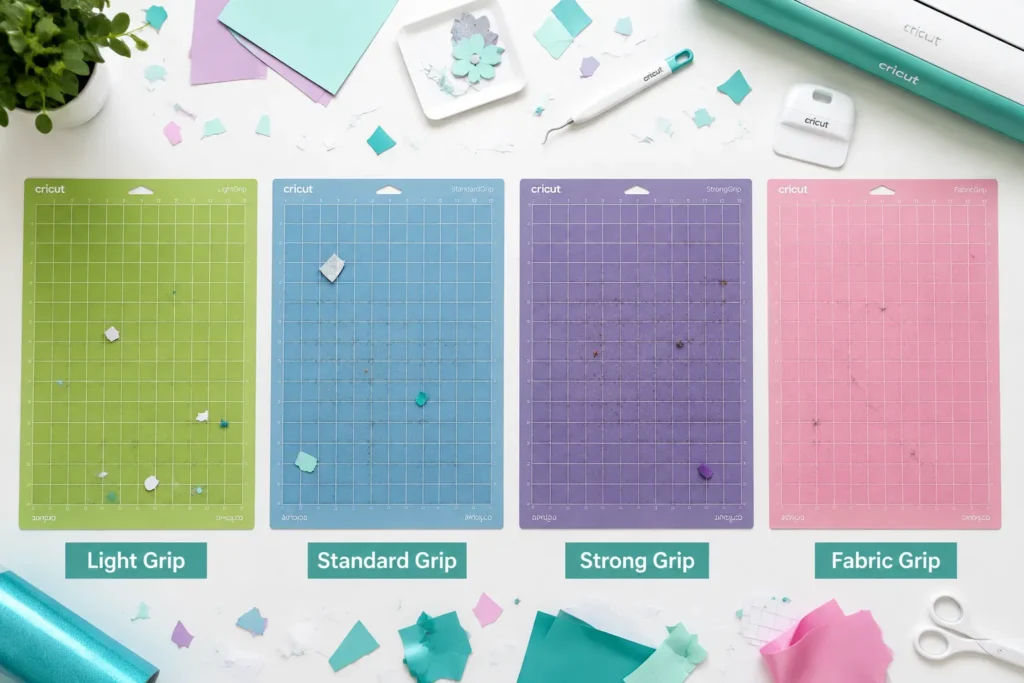
Cricut sells four main mat types, each with a different adhesive strength:
- LightGrip (blue), for printer paper, vellum, and light cardstock
- StandardGrip (green), for most vinyl, iron-on, and medium cardstock
- StrongGrip (purple), for thick cardstock, chipboard, and leather
- FabricGrip (pink), for fabric and delicate materials
All four benefit from regular cleaning, though the FabricGrip mat requires the gentlest touch.
If you’re new to the machine itself, the guide on what is a Cricut machine covers the basics before you start.
How Often Should You Clean Your Cricut Mat
Clean the mat when it visibly has debris on it or when materials start slipping during cuts. For most crafters, that means every 5 to 10 uses under normal conditions.
A few practical guidelines:
- Light use (1-2 projects per week): Clean every 2 weeks or when you notice reduced grip.
- Heavy use (daily crafting): Clean after every 3 to 5 sessions.
- After cutting fabric or glitter vinyl: Clean immediately, since fibers and micro-particles embed quickly.
- After cutting intricate designs: Tiny paper scraps fill the adhesive cells faster than large cuts do.
A quick visual check before each session takes only seconds and prevents most mid-project failures.
Best Way to Clean a Cricut Mat Without Damaging It
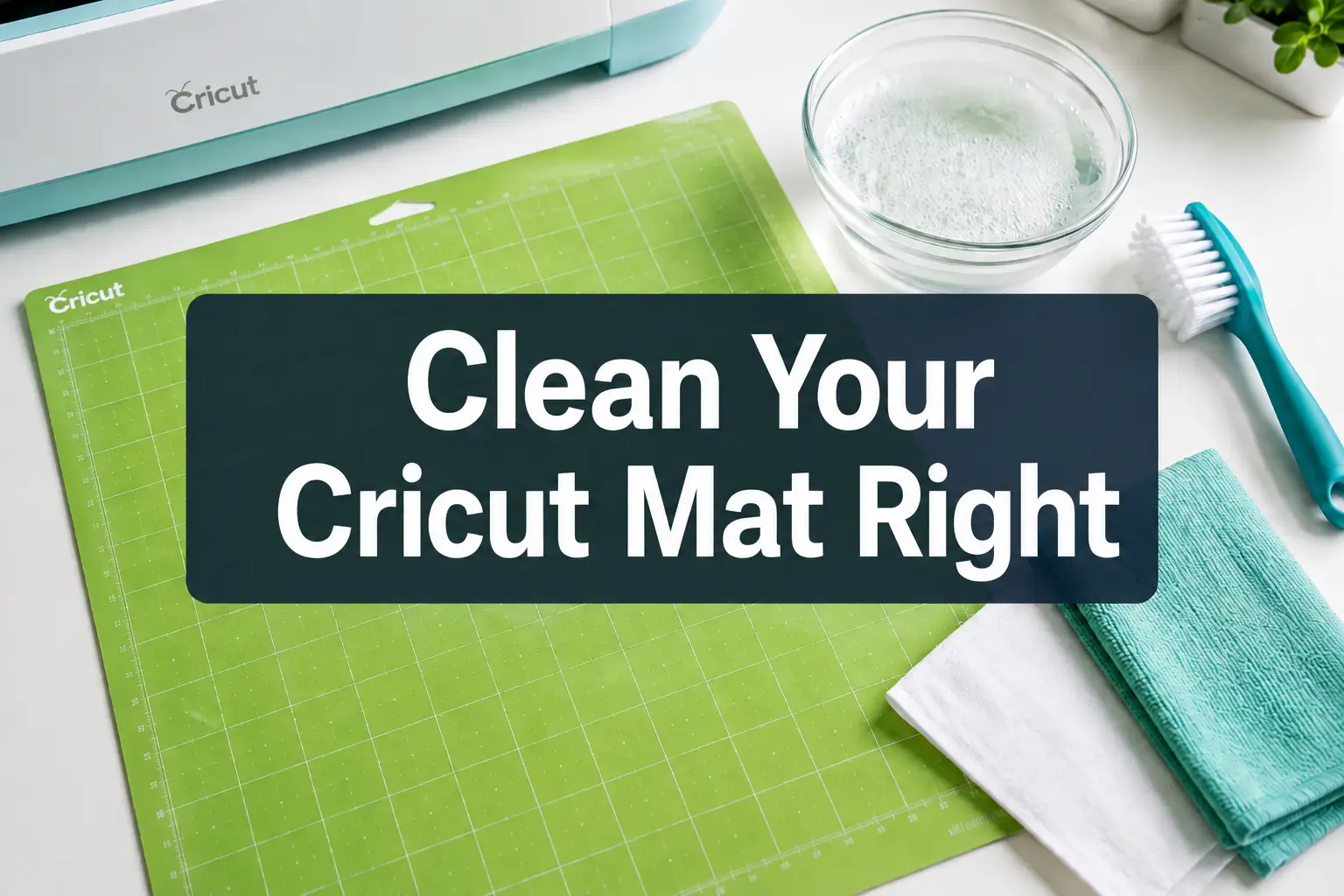
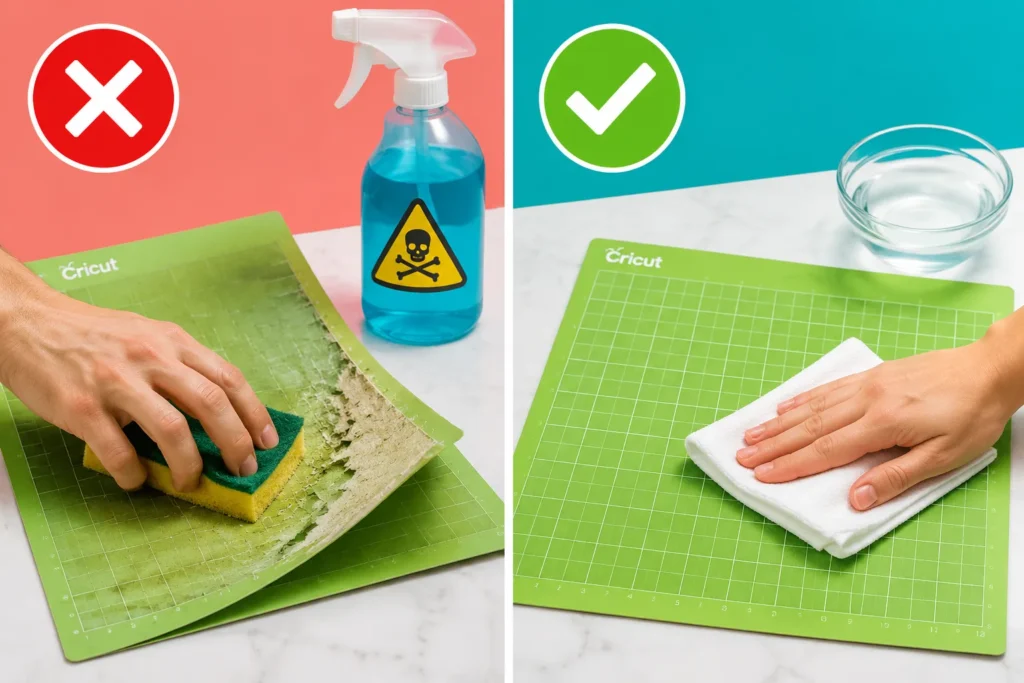
The safest method for how to clean a Cricut mat is a gentle scrub with plain water and a soft-bristle brush, followed by a full air dry. This works on all four mat types and does not degrade the adhesive.
Step-by-step process:
- Remove the mat from the machine and peel off any large material scraps by hand.
- Run lukewarm water over the mat surface, or dampen a lint-free cloth.
- Use a soft-bristle brush (a dedicated craft brush or a clean dish brush with soft nylon bristles) to scrub in small circular motions across the entire surface.
- Rinse the mat under cool running water until the water runs clear.
- Pat the surface lightly with a lint-free cloth to remove excess water, do not rub.
- Stand the mat upright or lay it flat on a clean surface and let it air dry completely (30 to 60 minutes depending on humidity).
- Once dry, the stickiness should return noticeably.
Common mistake: Rushing the drying step. Placing a damp mat back in the machine causes warping, feed errors, and can damage the rollers.
Can You Use Water on a Cricut Mat
Yes, plain water is safe and actually recommended for cleaning Cricut mats. Water loosens debris without attacking the adhesive layer, which is what harsh solvents do.
Use cool or lukewarm water only. Hot water softens the adhesive and can cause it to shift or bubble. Distilled water is a slightly better choice if tap water in your area is heavily mineralized, since mineral deposits can leave a residue.
What Should You Never Use to Clean a Cricut Mat
Several common household cleaners permanently damage the adhesive on a Cricut mat. Avoid all of the following:
- Acetone or nail polish remover, dissolves the adhesive completely
- Bleach or disinfectant sprays, degrades the mat surface and leaves residue
- Rubbing alcohol above 70% concentration, strips adhesive faster than it removes debris
- Abrasive scrubbers, steel wool, or rough sponges, physically tear the adhesive layer
- Dish soap with heavy degreasers, breaks down the adhesive over repeated use
- Paper towels, leave lint and micro-fibers embedded in the adhesive
“The adhesive on a Cricut mat is the entire point of the product. Any cleaner strong enough to cut through grease is strong enough to cut through that adhesive.”
If you’re unsure whether a product is safe, test it on a small corner of an old mat before applying it to the full surface.
How to Remove Dried Adhesive and Stubborn Debris from a Cricut Mat
For stuck-on debris that water alone won’t remove, a plastic scraper or the Cricut-branded scraper tool is the right choice. Use it at a low angle (about 15 to 20 degrees) and push debris toward the mat edge rather than digging into the surface.
For dried adhesive or residue:
- Apply a small amount of un-du adhesive remover or a citrus-based adhesive remover (check that it contains no acetone) to a lint-free cloth, not directly to the mat.
- Dab, do not rub, the affected area.
- Follow immediately with a plain water rinse and full air dry.
For glitter vinyl residue: Use a lint roller pass first to lift the top layer of glitter particles before scrubbing with water. Glitter embeds deeply and scratches the surface if scrubbed dry.
Cricut Mat Cleaning Products That Actually Work
The most reliable products for cleaning a Cricut cutting mat are simple and inexpensive:
| Product | Best For | Caution |
|---|---|---|
| Plain water + soft brush | All mat types, regular cleaning | None |
| Fragrance-free baby wipes | Quick between-project clean | Check for alcohol content |
| Lint roller | Removing fibers and dust | Use before wet cleaning |
| Plastic scraper | Lifting stuck material | Keep angle low |
| Citrus adhesive remover | Stubborn residue | Rinse thoroughly after |
Baby wipes are a favorite among high-volume crafters because they’re fast, gentle, and require no rinsing. The key is choosing wipes that are fragrance-free and alcohol-free.
Is My Cricut Mat Still Sticky After Cleaning
In most cases, yes. A mat that has lost grip due to debris will regain noticeable stickiness once it is clean and fully dry. The adhesive itself is still present, it was just buried under a layer of material.
If the mat feels tacky immediately after drying but loses grip again within one or two uses, the adhesive layer is genuinely worn down and cleaning alone won’t fix it.
Decision rule: If a freshly cleaned, fully dry mat still doesn’t hold a standard sheet of copy paper without it sliding, the mat needs resticking or replacement.
Can You Restore a Cricut Mat That Has Lost Its Stickiness
A mat that has lost adhesive (not just debris) can often be restored with a repositionable adhesive spray. Cricut sells its own resticking spray, and third-party options like Spray n Bond or Krylon Easy-Tack also work.
How to restick a Cricut mat:
- Clean the mat thoroughly and let it dry completely.
- Mask off the mat edges with painter’s tape to keep adhesive off the border.
- Apply a light, even coat of repositionable adhesive spray from about 12 inches away.
- Let it dry for 15 to 20 minutes before testing.
- Apply a second coat only if the first is insufficient.
This process can extend a mat’s life by several months and costs a fraction of a replacement mat.
When Should You Replace Your Cricut Mat Instead of Cleaning
Replace the mat when cleaning and resticking no longer produce adequate grip, or when the mat surface shows physical damage. Specific signs that indicate replacement:
- The mat is visibly warped and won’t lie flat in the machine
- The surface has deep gouges or cuts from blade pressure
- The mat has been restuck multiple times and still won’t hold material
- The edges are peeling or curling significantly
For reference, a well-maintained StandardGrip mat typically lasts 25 to 40 uses before needing resticking, and can be restuck 2 to 3 times before replacement becomes the better option. These figures vary based on the materials being cut and how carefully the mat is stored.
Easiest Method to Clean a Cricut Mat Quickly
For a fast clean between projects, a fragrance-free, alcohol-free baby wipe is the quickest method. Wipe the surface in overlapping strokes, let the mat air dry for 10 to 15 minutes, and it’s ready to use.
This method won’t remove heavy buildup, but it handles light debris and refreshes grip in under 20 minutes total. Keep a pack of wipes at the craft table for this purpose.
What Happens If You Clean Your Cricut Mat Wrong
Using the wrong cleaner or technique causes permanent, irreversible damage. The most common outcomes:
- Adhesive stripped by solvents: The mat surface looks clean but has zero grip and cannot be restored.
- Surface warped by heat or hot water: The mat no longer lies flat, causing cutting errors and potential machine damage.
- Lint embedded by paper towels: The adhesive fills with fibers that are harder to remove than the original debris.
- Adhesive smeared by aggressive scrubbing: The sticky layer becomes uneven, causing inconsistent hold across the mat.
None of these problems are fixable after the fact. The mat must be replaced.
Cricut Mat Cleaning Hacks That Save Money
A few practical tips that extend mat life without extra cost:
- Always use the protective cover sheet. The clear plastic sheet that ships with every mat protects the adhesive between uses. Losing it is one of the fastest ways to shorten mat life.
- Store mats flat. Storing them vertically or rolled causes warping over time.
- Wash hands before handling the mat. Skin oils are one of the leading causes of adhesive breakdown.
- Use the right mat for the material. Cutting heavy chipboard on a LightGrip mat wears it out far faster than using the correct StrongGrip mat.
- Lint-roll before wet cleaning. Removing loose debris dry first means less scrubbing during the wet clean, which is gentler on the adhesive.
For more ways to get the most from your machine, see the guides on how a Cricut works and how to make stickers with a Cricut.
FAQ
Can I put my Cricut mat in the dishwasher?
No. Dishwasher heat and detergent will destroy the adhesive layer and warp the mat permanently. Hand washing with cool water is the only safe wet-cleaning method.
How long does a Cricut mat take to dry after cleaning?
Most mats air dry in 30 to 60 minutes at room temperature. In humid conditions, allow up to 90 minutes. Never use a hair dryer or place the mat near a heat source to speed up drying.
Can I use Goo Gone to clean a Cricut mat?
Standard Goo Gone contains petroleum-based solvents that strip adhesive. Goo Gone Adhesive Remover Spray Gel is sometimes used cautiously on small spots, but it carries real risk of adhesive damage. Plain water and a scraper are safer choices.
Why does my Cricut mat feel sticky but materials still slip?
Uneven adhesive distribution is usually the cause. Heavy use in the center of the mat wears that zone faster than the edges. Resticking the mat with repositionable adhesive spray addresses this.
Is it safe to use a Magic Eraser on a Cricut mat?
No. Magic Erasers are micro-abrasive and will physically sand down the adhesive surface, reducing grip rather than restoring it.
How do I clean a FabricGrip mat differently from other mats?
The FabricGrip (pink) mat has a gentler adhesive designed for delicate fabrics. Use only a lint roller or soft damp cloth, no scrubbing brushes. Aggressive cleaning removes its adhesive quickly.
Can I use hand sanitizer to clean a Cricut mat?
No. Most hand sanitizers contain 60 to 70% alcohol plus skin-conditioning agents, both of which degrade the mat adhesive.
Does cleaning a Cricut mat void the warranty?
Cricut does not cover mats under a product warranty in the traditional sense, since they are consumable items. Cleaning with recommended methods (water, soft brush) does not affect any machine warranty.
Conclusion
Knowing how to clean a Cricut mat correctly is one of the most practical skills a crafter can develop. The method is straightforward: use plain water and a soft brush, rinse thoroughly, and let the mat air dry completely. Avoid solvents, abrasive tools, and heat at every stage.
Actionable next steps:
- Inspect every mat currently in use. If there is visible debris, run through the water-and-brush method today.
- Stock a pack of fragrance-free, alcohol-free baby wipes at the craft table for quick cleans between sessions.
- Check that every mat has its protective cover sheet for storage.
- If a mat has lost grip despite cleaning, try a repositionable adhesive spray before buying a replacement.
- If you’re still deciding which Cricut model to invest in, the guide on which Cricut to buy will help narrow the options.
A clean mat means cleaner cuts, less wasted material, and fewer frustrating mid-project failures. The five minutes spent cleaning after a session pays back many times over in the next one.